
A good free password manager
KeePass is a free, open source password manager for home users.
Good password management is essential to stay safe, on and offline. These days, services and programs are so many and varied that keeping track of your passwords across devices, websites and apps can be near-on impossible. That's where a password manager like KeePass comes into play.
Easy to use
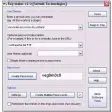
This app doesn't require installation, and presents a simple, easy-to-navigate interface. First off, the app will ask you to define a master password. As this is the main step and the first line of KeePass' defences, it's essential that it's a good one. To this end, KeePass will assess the master password's strength, as well as offering extra protection like a key file option and the ability to enable a Windows user account backup, in case a user account is lost.
Once you've set up a master KeePass password, you'll want to go about setting up password databases and groups - categories of password-protected information. How you organize these is up to you - you could have a work and a personal database, for example, filled with groups like banking, internet and social networks. Setting these up is easy, as KeePass walks you through each step with a clear and detailed wizard-like approach.
Using your passwords
Navigating the KeePass interface is very intuitive. Right-click on an entry to modify it, and use the icons along the top of the window to perform the most basic KeePass tasks. In order to actually use your passwords, you'll need to have the app open. You can then copy the password information you need to the clipboard, where it will be erased automatically after a few seconds.
Unfortunately, it's here on the internet integration that Keepass loses a few points. It's not bad by any means, but it's just not as smooth an experience as other similar apps like Sticky Password Free or BlackBox Password Manager.
KeePass is a very good password manager that's great on options, but not so hot on online integration.
Auto-type window definitions in custom window-sequence pairs are now Spr-compiled (i.e. placeholders, environment variables, etc. can be used)Global auto-type delay: added support for multi-modified keys and special keysAdded 'New Database' application policy flagMulti-monitor supportRoboForm importer: URLs without protocol prefix are now prefixed automatically (HTTP).Entry-dependent placeholders can now be used in most trigger events, conditions and actions (the currently focused entry is used)Auto-type on Unix-like systems: KeePass now shows an informative error message when trying to invoke auto-type without having installed the 'xdotool' packageNew column engine: drag&dropping hidden fields works as expected again (the field data is transferred, not asterisks).Improved restoration of a maximized main windowImproved error message when trying to import/export data from/to a KDB file on a non-Windows operating systemMinor other improvements
Changes
Auto-type window definitions in custom window-sequence pairs are now Spr-compiled (i.e. placeholders, environment variables, etc. can be used)Global auto-type delay: added support for multi-modified keys and special keysAdded 'New Database' application policy flagMulti-monitor supportRoboForm importer: URLs without protocol prefix are now prefixed automatically (HTTP).Entry-dependent placeholders can now be used in most trigger events, conditions and actions (the currently focused entry is used)Auto-type on Unix-like systems: KeePass now shows an informative error message when trying to invoke auto-type without having installed the 'xdotool' packageNew column engine: drag&dropping hidden fields works as expected again (the field data is transferred, not asterisks).Improved restoration of a maximized main windowImproved error message when trying to import/export data from/to a KDB file on a non-Windows operating systemMinor other improvements

























User reviews about KeePass
by Anonymous
passwords.
good idea manager the your password the browser sites,i like keepass
by Anonymous
Simple and light.
I use this program at home and at work. It is really easy to generate new secure password and no need to memorize all of them. The only critical factor it to remember the password of KeePass itself. More
by Anonymous
To difficult.
To difficult to work out.